
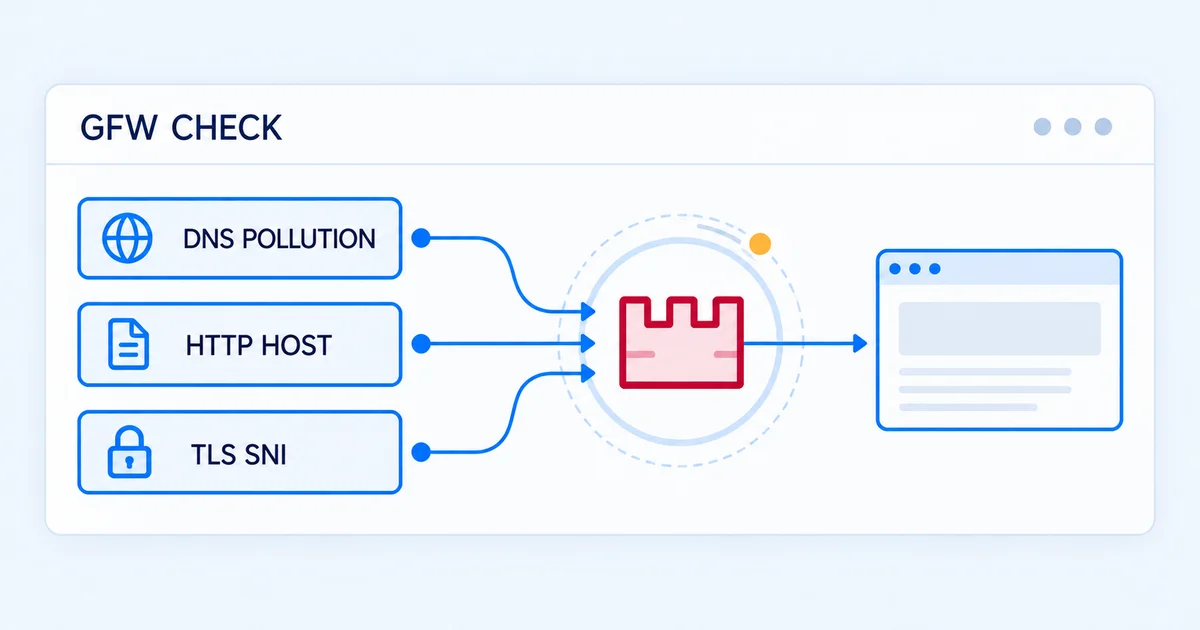
To start checking whether your domain has network problems when accessed from mainland China, use the Free DNS Pollution Check. No account is required: enter one domain, complete human verification, and read the DNS pollution verdict returned for your query. It is a practical first step when you do not yet know which part of the connection is failing.
Keep two limits in mind: a DNS pollution check is not a full GFW check, and a result that reports no DNS pollution does not establish that every part of your website works. This guide walks through a first query, explains the results, and helps you choose what to check next. Its scope is domain-level network testing for access from mainland China—not unblocking, acceleration, or a complete browser test.
Before your first GFW test, identify the domain that matters
When people search for a GFW test, their real question is often, “Why can my customers not open my website?” First record the address that fails and, where available, the time, region, and carrier associated with the report. Do not begin by assuming a particular form of blocking caused the failure.
For example, if a customer visits https://www.example.com/login, submit www.example.com rather than the full URL. If the login process also sends requests to api.example.com, that is a separate target to consider. The root domain, the www subdomain, and other business subdomains are not interchangeable.
How to run the Free DNS Pollution Check
- Enter a domain only. Leave out
http://orhttps://, paths, query parameters, and ports. Check for stray spaces and do not paste several domains into one query. - Confirm the target. Internationalized domain names (IDNs) are supported and converted to standard ASCII/Punycode on submission. The normalized form may look different from your input, so retain the association between them.
- Complete human verification and submit. If the verification component cannot load, check your current network and follow the page's retry instructions. A verification failure is not a domain test result.
- Read the verdict and its explanation. Record the query time and domain rather than treating a color or icon alone as a diagnosis.
The free tool provides a single-domain query, not continuous monitoring. Repeated queries within one hour may reuse an existing valid result, so clicking again does not necessarily run a new test. To obtain later results on a schedule, retain monitoring history, or receive notifications, create a Console monitoring task.
What the three results mean
The free page displays the DNS pollution verdict obtained for your query. Use the distinctions below instead of reducing every outcome to “blocked” or “not blocked.”
| Result | What it establishes | Suggested next action |
|---|---|---|
| No DNS pollution detected | This result did not report DNS pollution. | If customers still cannot connect, check HTTP, TLS, the relevant networks, and business dependencies. Do not declare the whole website healthy. |
| DNS pollution detected | This result reported DNS pollution. | Retain the result and investigate access further. Create a monitoring task if you need ongoing observation. |
| Temporarily indeterminate | This query did not obtain sufficient information for a verdict. | Keep it unconfirmed and check again later. It is neither a normal result nor proof of blocking. |
A failed test request is a separate situation. If a request, network connection, or human verification fails, the service has not thereby determined that the domain has DNS pollution. Do not confuse that failure with an indeterminate verdict. Follow the error guidance first; if it persists, retain a description without sensitive information for support. See Understanding Test Results for the fuller classification.
When to continue with a full GFW check
If DNS pollution was not reported but access still fails, or you need to check several domains and compare regions or carriers, use a GFW Full Domain Check. It brings together DNS pollution, HTTP Host, and TLS SNI observations and an overall verdict to help identify the next area to investigate.
- DNS reports no pollution, but the browser cannot connect: review the HTTP and TLS components, then investigate alongside origin, CDN, and application logs.
- Customers report different experiences: choose region and carrier nodes relevant to the affected users. Keep the individual observations rather than treating one node as representative of all mainland China.
- You manage several domains: organize website, login, and API targets, then use Console or the authenticated API for batch checks. Do not automate the free web form as though it were an API.
“Full” does not mean running all seven platform methods, automatically loading the page, executing JavaScript, or completing a login. For operational steps, node selection, and component results, read the GFW Full Domain Check Guide.
Avoid reading more into a result than it can support
A normal result means the relevant check did not report its defined anomaly in that observation. It does not guarantee the same outcome across every region, carrier, or future time. A timeout alone does not establish the cause of a failure or identify a responsible party.
Domain network testing also cannot replace business validation. A homepage may load while login, payment, or third-party resources fail. In that case, inspect the dependency domains and browser requests actually used by the customer instead of repeatedly querying only the root domain. The service helps detect and record network anomalies; it does not provide acceleration, unblocking, or a guaranteed recovery time.
From one query to ongoing monitoring
If you only want a first DNS pollution result for one domain, start with the Free DNS Pollution Check. For scheduled checks, monitoring history, and platform notifications, follow Getting Started with Console to configure DNS pollution or GFW Full monitoring.
To integrate testing with releases or your existing operations system, continue with Automated GFW Checks and Alerts: Integrating the API into Your Website Monitoring. Choose the next step according to the job: check one domain, widen the scope, or establish ongoing monitoring. Do not keep changing the test conditions simply to obtain a green label.